Every trailer.
Every unit.
One portal.
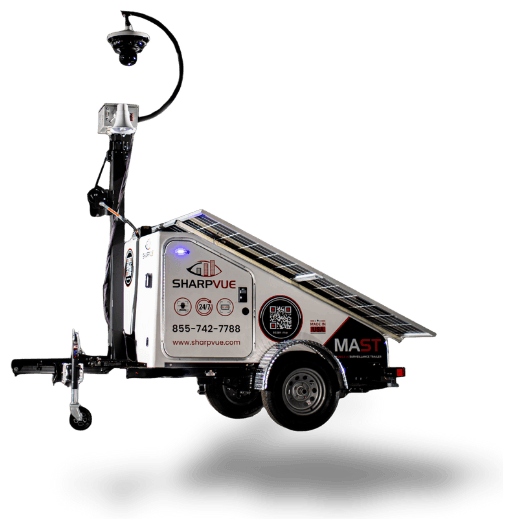
MySharpvue is the fleet portal for Sharpvue dealers and customers alike. Watch every MAST — our Mobile AI Surveillance Trailer — and Portable Surveillance Unit on a live map, and track battery, solar, and cellular health for the whole fleet in near real time.
Your whole fleet,
on one map.
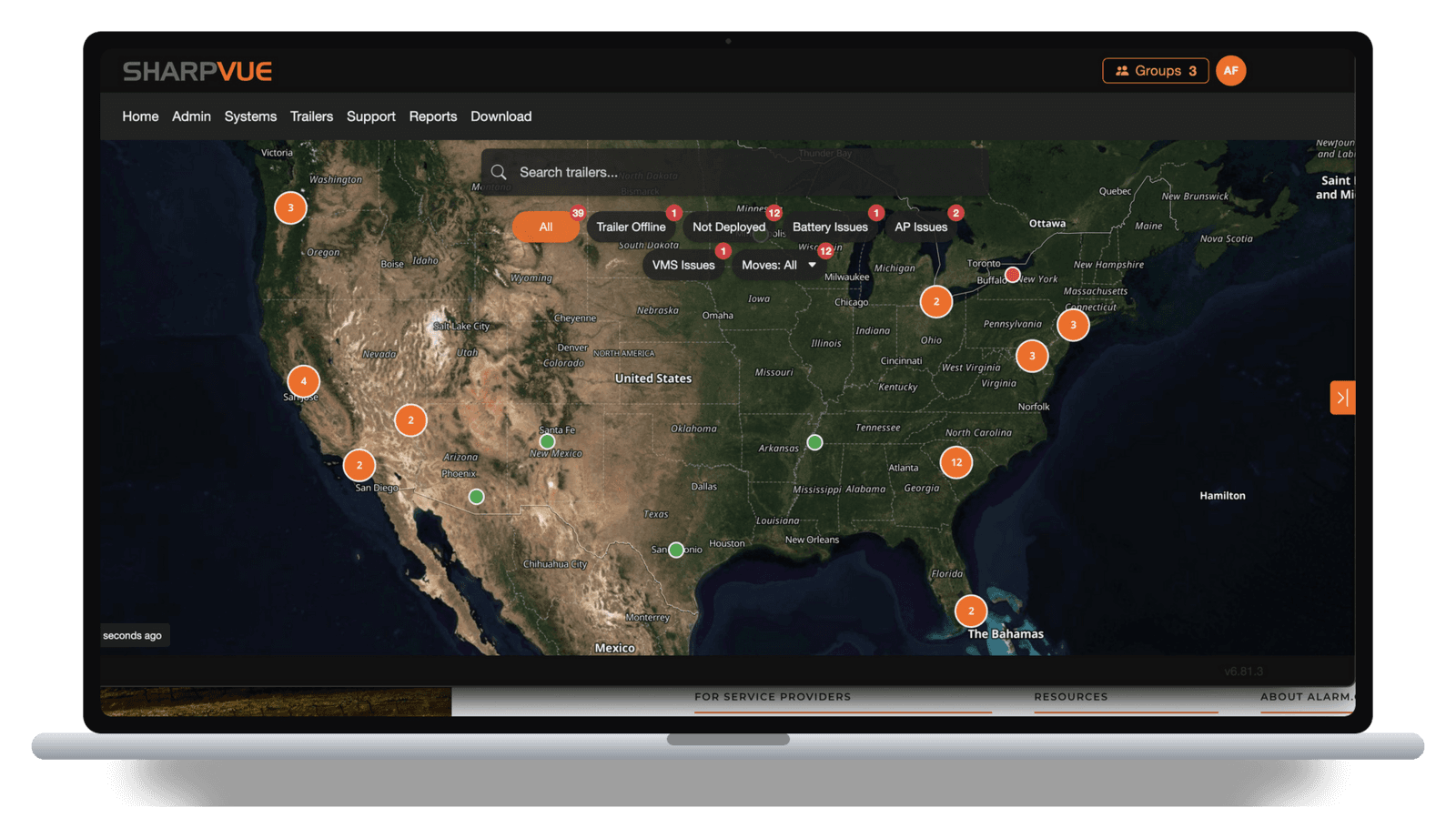
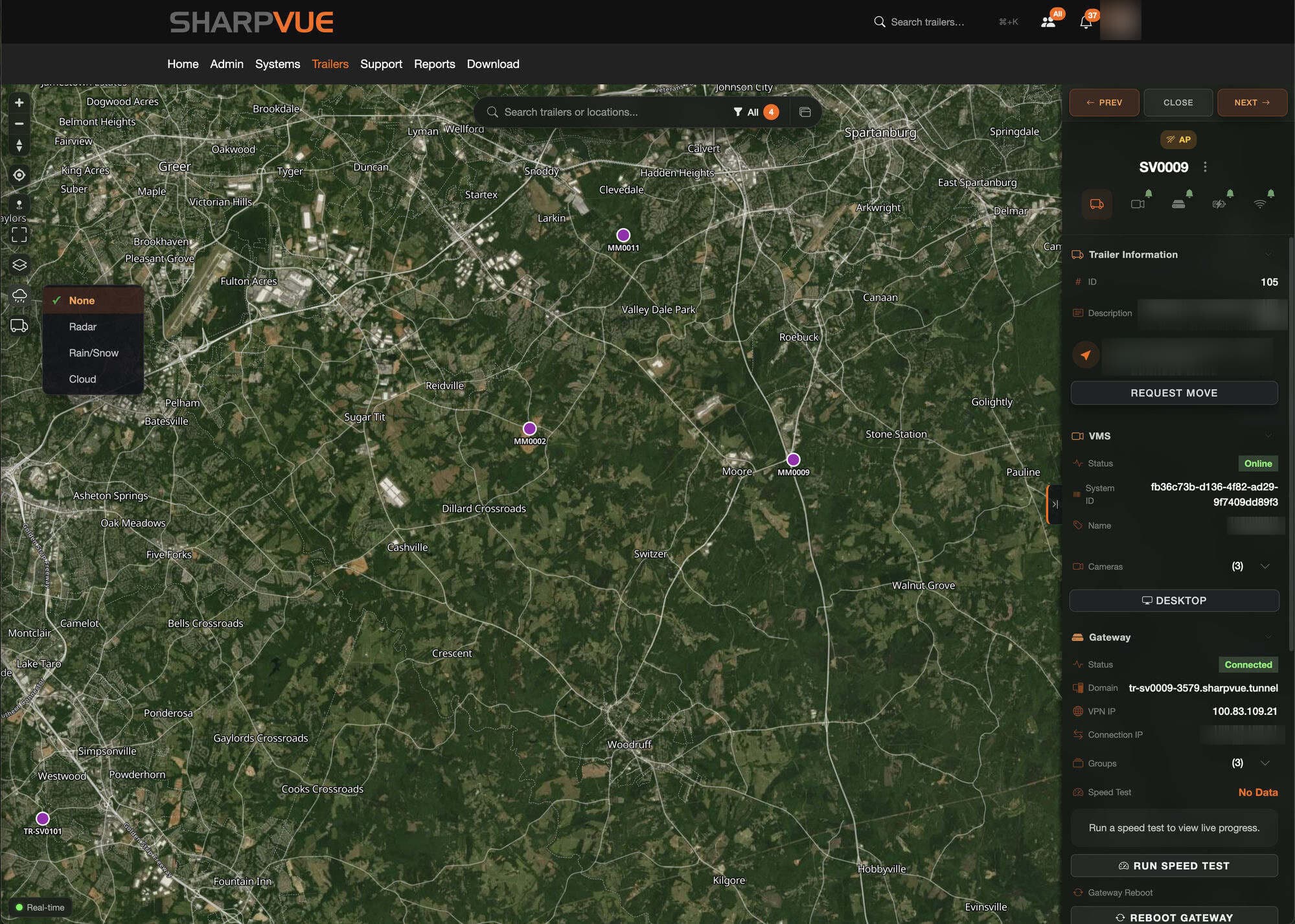
Every deployed trailer and portable unit shows up as a live pin — anywhere in North America — with its GPS position updated in near real time. Search by name, zoom into a job site, or let the clusters show you where your fleet is concentrated. Click any pin and the unit's full panel opens right on the map — VMS and gateway status, cameras, live speed tests, a remote gateway reboot, and a one-click move request.
One-click filters cut the map down to exactly what needs attention, with live counts for each issue type:
- All
- Trailer Offline
- Not Deployed
- Battery Issues
- AP Issues
- VMS Issues
- Moves
Every camera,
right in the portal.
MySharpvue isn't just telemetry — it's a full web video management system. Watch as many live feeds as you want, for as long as you want, across every trailer and portable unit in your fleet. Let the AI flag people, vehicles, and license plates as they appear — and when you need the footage, download and export your own video anytime.
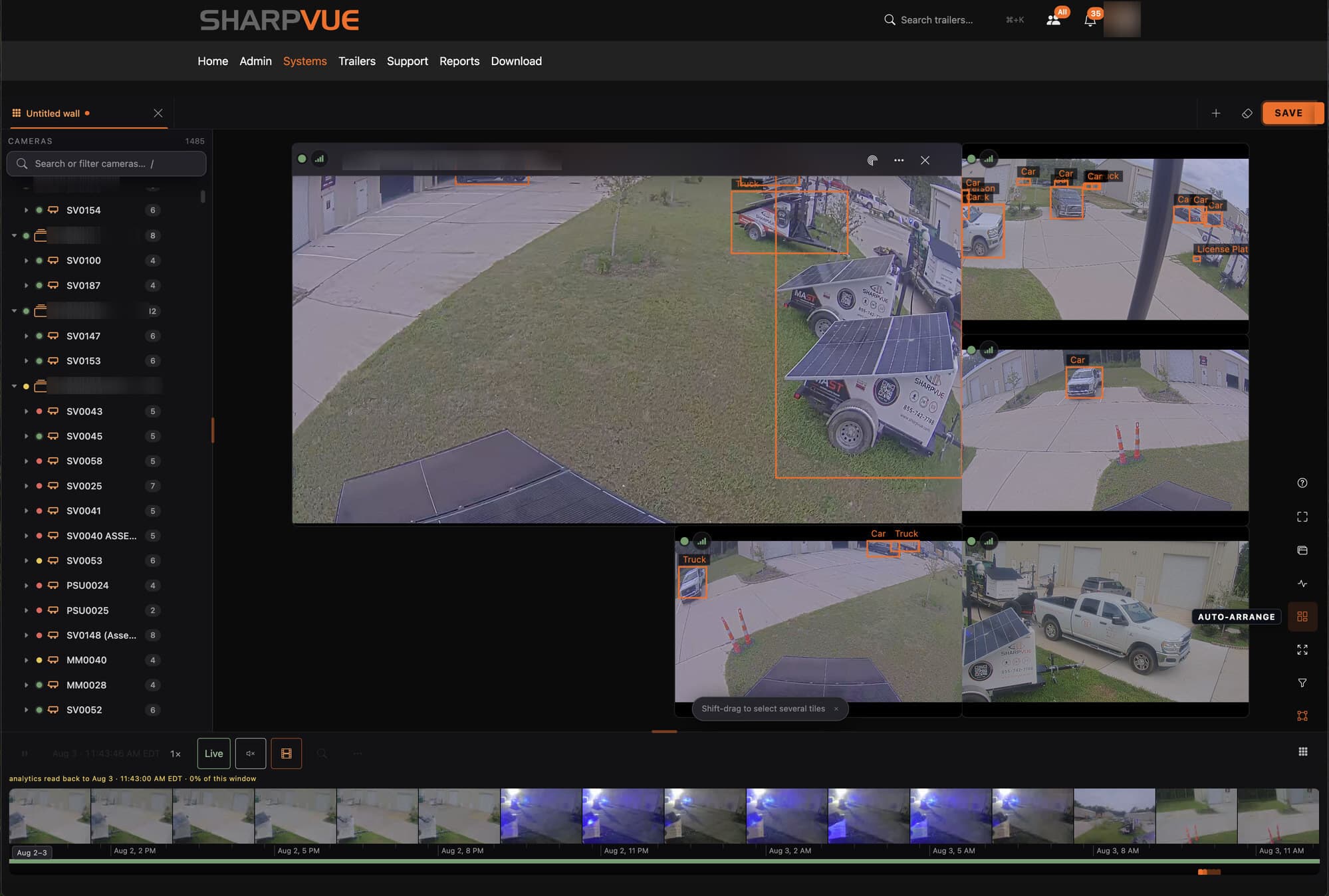
- Unlimited live viewing
- Watch as many live feeds as you want, for as long as you want — no stream limits, no time caps. Keep a wall of cameras up all day, from any browser.
- Download & export video
- Your video is yours. Pull the footage you need and export clips on demand — for an incident report, an insurance claim, or the police.
- AI analytics overlays
- People, cars, trucks, and license plates are detected and boxed on screen as they happen, so events stand out at a glance.
- Camera walls & groups
- Build multi-camera walls across trailers and sites, organized by customer or job site — and save the layouts you use every day.
- Timeline & analytics search
- A visual timeline with thumbnails and analytics readback lets you jump straight to the moment something happened.
Cellular. Solar. Battery.
Every reading, every unit.
The Trailer Overview puts the vitals of the entire fleet in one sortable table — and one click on any unit opens its full diagnostics. This is how your team knows a trailer is healthy without rolling a truck.
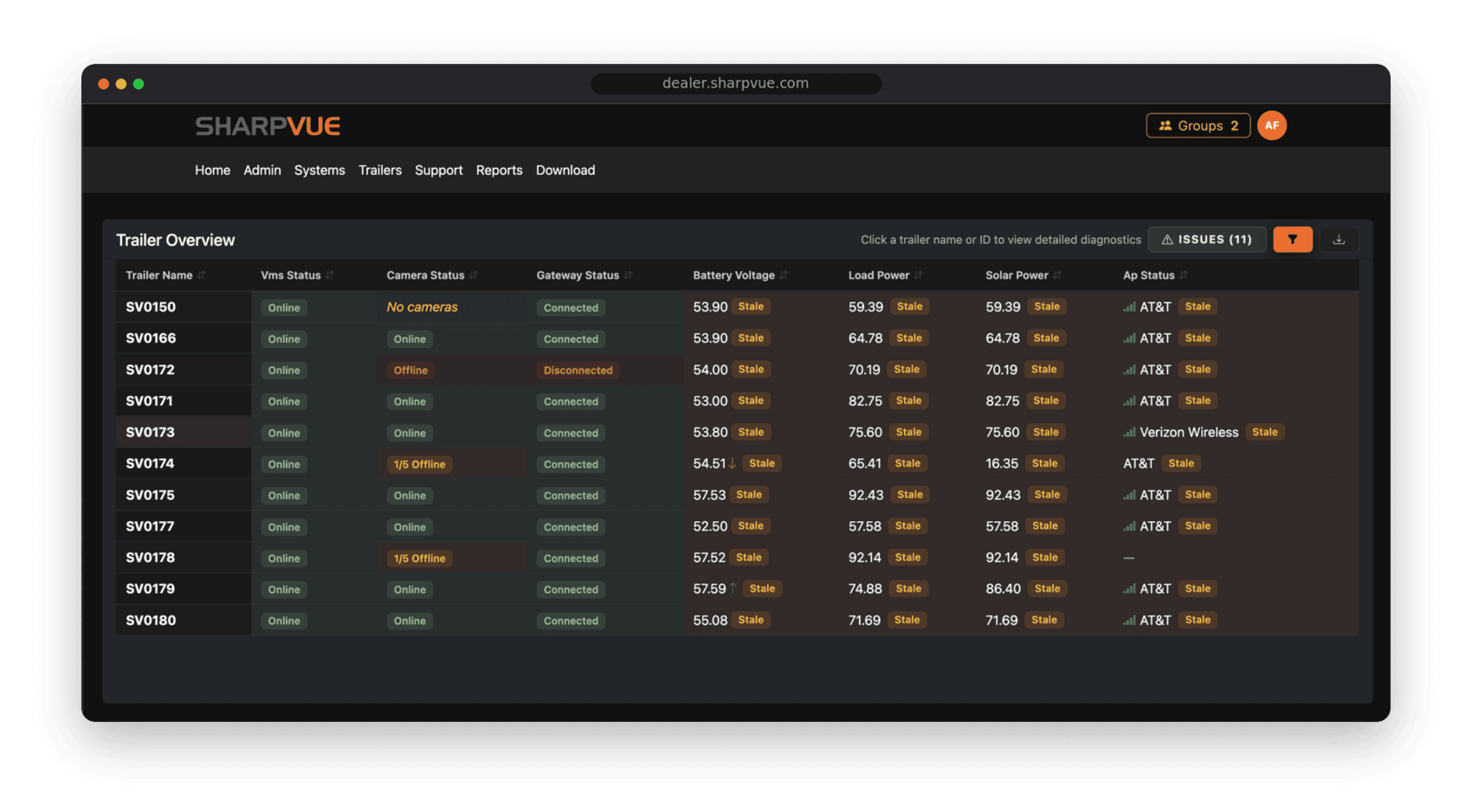
- Battery voltage
- Live pack voltage with trend arrows, so you can see a battery climbing on solar or sagging under load before it becomes a problem.
- Solar power
- Watts coming off the panels right now — spot a shaded array, a failed panel, or a unit parked facing the wrong way.
- Load power
- What the unit is drawing at this moment. Compare load against solar harvest to know whether a trailer can run indefinitely where it sits.
- Cellular carrier & signal
- The carrier each unit is on and its live signal strength, so you know exactly how every trailer is connected in the field.
- VMS status
- Whether the video management system on each unit is online and recording — the heartbeat of the whole deployment.
- Camera status
- Down to the individual camera: see “1/5 offline” at a glance instead of a single red dot, and know exactly which head needs attention.
- Gateway status
- Connected or disconnected, per unit — catch a dropped gateway before the customer notices a gap in coverage.
- Access-point status
- The on-board access point that ties cameras and devices together, monitored like everything else.
- Data freshness
- Every reading carries its age. Stale data is flagged, so you never make a call on numbers that stopped updating an hour ago.
Fleet Insights, the moment you log in.
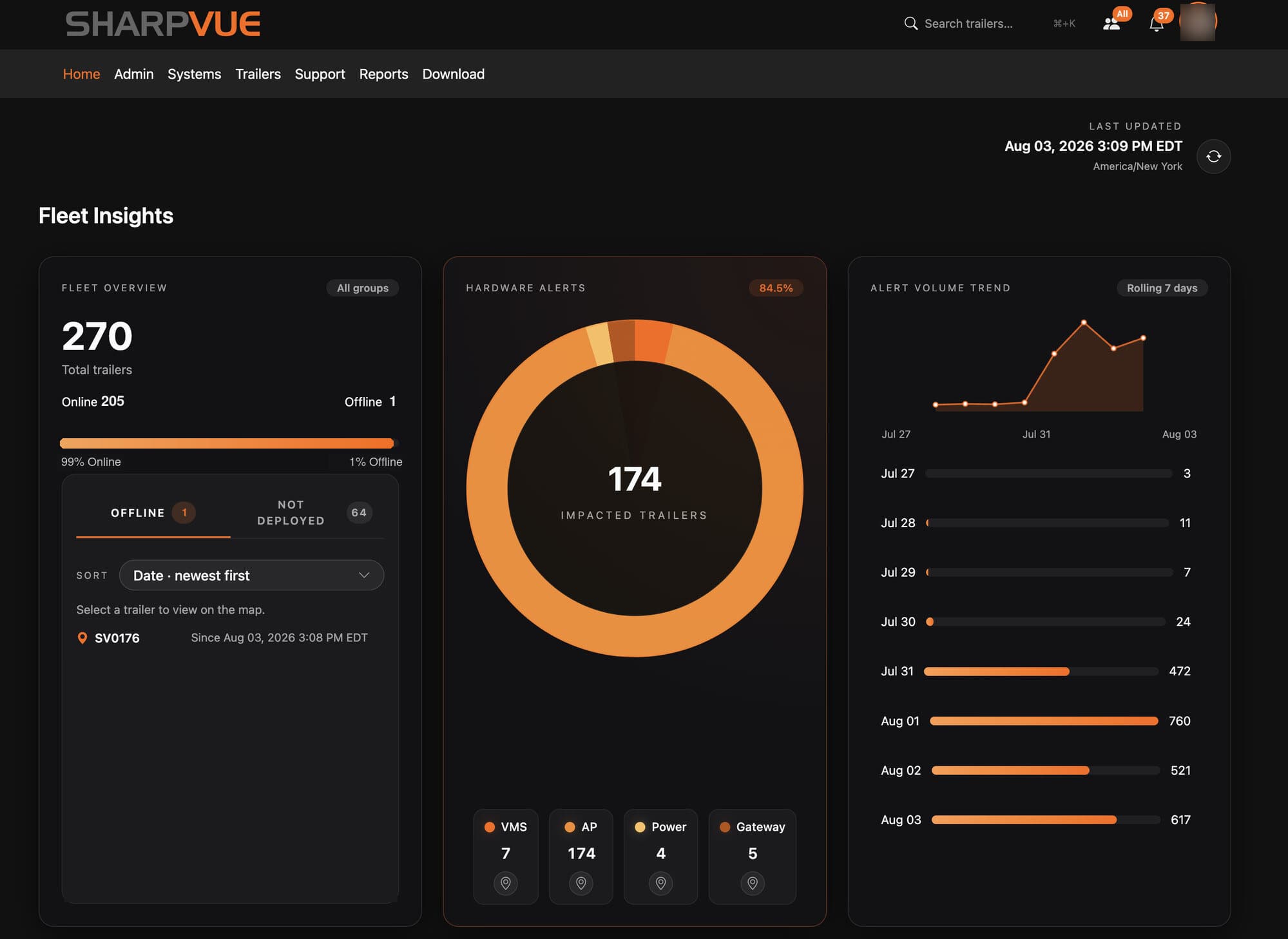
The home dashboard rolls the whole fleet up into one view — how many units are online, hardware alerts broken out by VMS, access point, power, and gateway, and a rolling seven-day alert trend so a bad day stands out immediately. Spot the spike, click the trailer, and see it on the map.
Built to run a surveillance fleet.
- Live fleet map
- See every deployed MAST trailer and Portable Surveillance Unit on a single map, updated in near real time, anywhere in North America.
- Built-in web VMS
- Watch unlimited live feeds for as long as you want, scrub recorded footage, and download and export your own video — without leaving the portal.
- Uptime & health
- Track uptime, battery state, and connectivity for each unit so you can act before a customer ever notices a gap.
- Issue filters
- Filter the whole fleet by what needs attention — trailer offline, battery, access-point, or VMS issues — and triage at a glance.
- Proactive alerts
- Catch units that drop offline, lose power, or fall out of deployment before they become a service call.
- Groups & multi-site
- Organize units into groups by customer, region, or job site, and manage permissions across your whole team.
- Move requests
- Dispatch a trailer move, watch its live GPS and status on the map, and message the driver, customer, and Sharpvue helpdesk from one thread.
- Reports & exports
- Pull uptime and activity reports for customer reviews, SLAs, and your own operations.
 Meet ODIN
Your AI trailer engineer.
ODIN the Wise is the AI agent built into every Sharpvue trailer. He reads the diagnostics, explains what's happening in plain language, and does the heavy lifting — so you don't need an electrical engineering degree to keep a fleet running. Sit back and let ODIN take the load off.
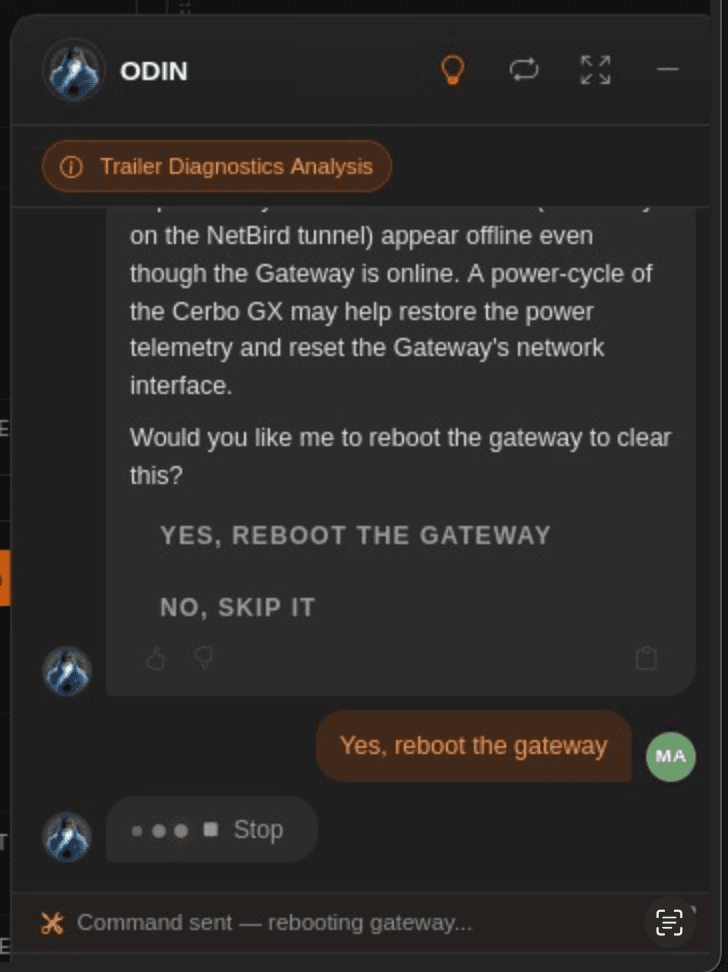
Ask ODIN to fix it and he runs the command — here, rebooting a gateway to clear an offline alarm. No truck roll required.
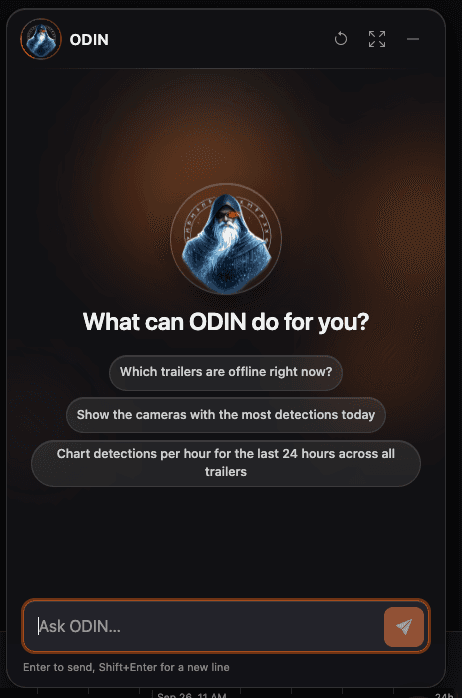
Ask ODIN a question and he answers it — or puts the cameras you asked for on the screen.
Tell him what you want on screen.
ODIN isn't only there to find the man in the red shirt and black pants. He also drives the video wall. Ask for a view the way you'd say it out loud and he pulls exactly those cameras up — across the whole fleet, down to a single trailer, or filtered to a camera position in one region.
- “Show me all PTZ cameras across my entire fleet”
- “Show me trailer SV200”
- “Show me all Front of Store trailers in the Southeast”
No camera IDs, no clicking through folders — the wall rebuilds itself around the question.
- Diagnoses in plain language
- ODIN reads the full trailer state — power, connectivity, VMS, gateway, and cameras — then tells you what's wrong and why, without the jargon.
- Reboots and self-heals
- Clear a stuck gateway, power-cycle a VMS, or bring a unit back online remotely. ODIN runs the fix and confirms it worked.
- Pushes upgrades
- Roll out firmware and configuration updates across the fleet from one place, on ODIN's recommendation.
- Solar & power coaching
- Amps versus volts, battery load versus solar harvest — ODIN turns power consumption into clear guidance, so you catch a battery problem before it strands a trailer.
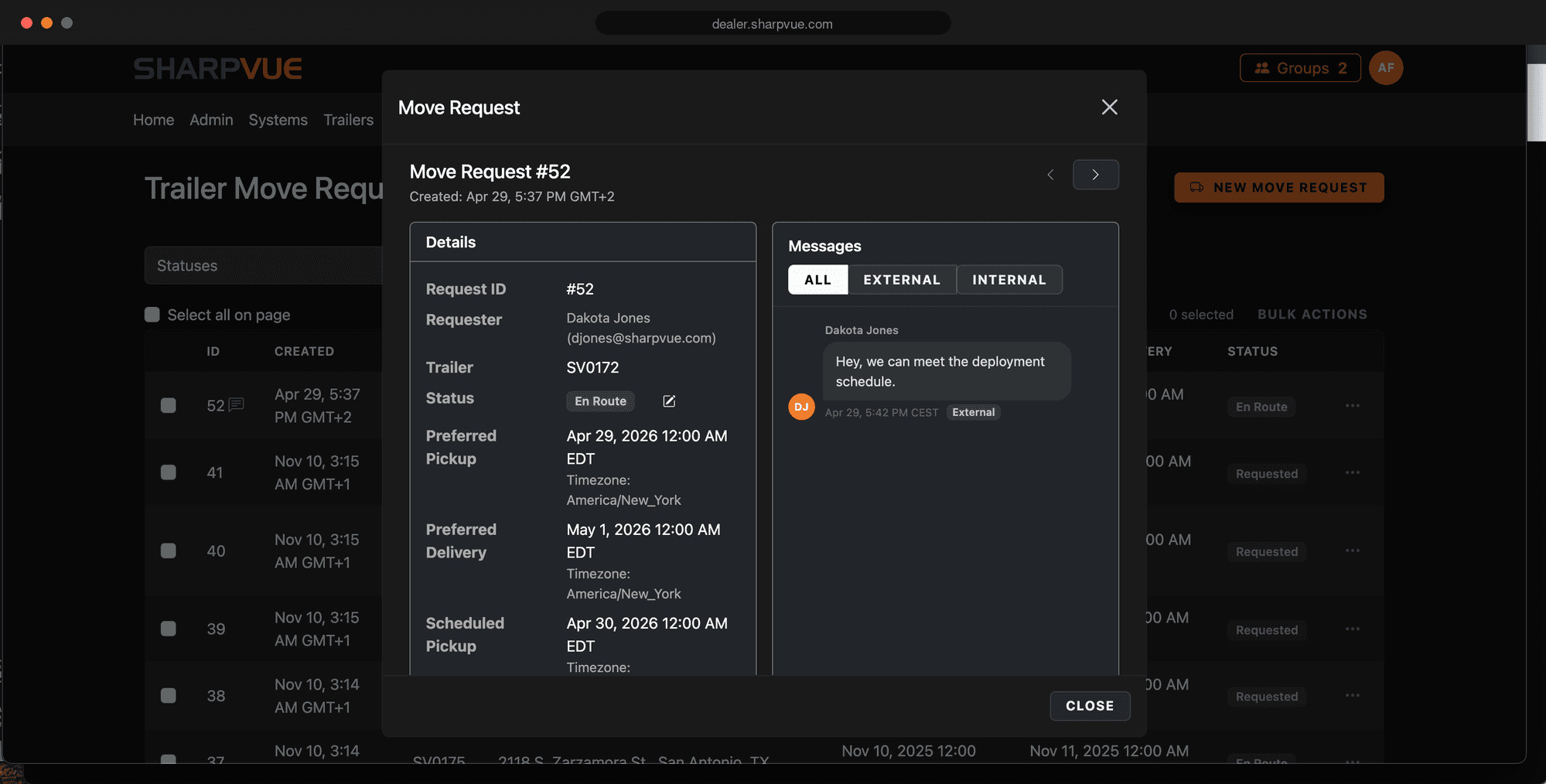
Move requests, start to finish.
Request a trailer move and track it the whole way. Watch the unit's live GPS on the map, follow each stage of the move, and keep the driver, the customer, and the Sharpvue helpdesk in one thread — all from the trailer's page.
Move status
- Requested
- Scheduled
- En Route
- Delivered
- Deployed
Driver
Coordinate pickup, route, and ETA with whoever is hauling the trailer.
Customer
Keep the site contact in the loop on timing without a separate call or email.
Sharpvue helpdesk
Pull in support on an internal thread the customer never sees.
Your fleet belongs on this map.
Whether you're a Sharpvue dealer running units for your clients or a customer with trailers protecting your own sites, MySharpvue comes with the fleet — no add-on fees, no per-unit licensing. Sign in, or reach out to put your fleet on the map.
Trusted across industries nationwide